
Giftnix Account


New Customer Login/Making an Account
Follow these simple steps if you are a new customer.
1.
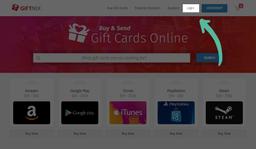
Click the "login" link at the top, right of the navigation.
2.
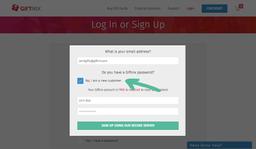
Next, click "No, I am a new customer"
- Type in your email address
- Type in your full name
- & create a password
3.
Hit "sign up using our secure server"
Congratulations! You have just made an account with Giftnix.
Congratulations! You have just made an account with Giftnix.
Having an Account Gives You Access to:- View all orders, past orders, & open orders. Orders Page
- Get your orders faster by verifying your account! Profile Page
Logging in with Social Media Accounts
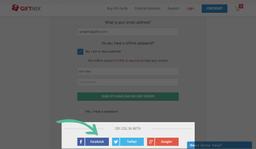
For Facebook: Click the Facebook button and follow the prompts that Facebook will give you.
For Twitter: Click the Twitter button and follow the prompts that Twitter will give you.
For Google+: Click the Google+ button and follow the prompts that Google will give you.
Logging in to an Existing Account
Follow these simple steps if you're a returning customer.
1.
Click the "login" link at the top, right of the navigation.
2.
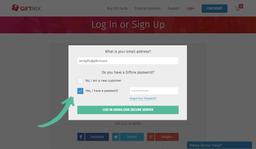
Next, click "Yes, I have a password" should be checked by default
- Type in your email address
- Type in your password
3.
Hit "Log in using our secure server"
You are now logged into your account!
You are now logged into your account!